
Bloom Bot
Multi-chain Telegram bot for EVM trading and copy workflows.
Bloom Bot is a cross-chain trading bot with Telegram-first execution and optional web tooling. It targets users who trade across EVM chains, including BSC, and prefer automated workflows across chains.
Key Features
- Multi-chain trading
- Telegram execution
- Copy trading
- MEV-aware routing
- Twitter Mode automation
- AFK Mode for automated trading
- Cross-chain transfers
- PancakeSwap integration
Best For
- Traders switching across multiple EVM chains
- Telegram-first execution workflows
- Affiliates seeking revenue share
Cautions
- Performance claims are self-reported; verify independently
- Custody model is not clearly disclosed; verify wallet permissions
- No public third-party audit disclosed as of January 2026
- Impersonation risk on Telegram and web domains—bloombot.net and bloombot.xyz are reported imposter sites
Security & Trust
Security Notes
- Confirm official domains (bloombot.app, docs.bloombot.app) and bot handles before connecting a wallet
- Use a dedicated wallet and revoke approvals regularly
- Limit balances and withdraw profits frequently
- Bookmark official URLs—never click unsolicited links
Incident History
- No public incident disclosures found as of 2026-01-18 (not independently verified).
Quick start
Want to try Bloom Bot now? Use the official link to get started.
Facts reflect public materials as of January 28, 2026.
Quick Take
Bloom Bot is a multi-chain Telegram trading bot for EVM networks (Ethereum, BSC, Base, HyperEVM (HYPE), Monad). Bloom runs a separate Solana bot. The draw is simple: copy trading and Twitter Mode automation including OCR and retweet configurations. Trading fee is 1% per trade (0.9% with bscapp code to support the site and save 10%). No subscription fees and depositing is fast and easy. Copy trading is programmable but you need to know what you are doing here, no hand-holding. Some polish necessary for friendlier UX but fully functional and useful.
Official Links and Verification
Verify every URL before connecting a wallet. Impersonation is rampant.
- Website (official): https://www.bloombot.app
- Documentation (official): https://docs.bloombot.app
- X (official): https://x.com/BloomTrading
- Telegram (official, verify in docs): https://t.me/BloomEVMbot (EVM) and https://t.me/BloomSolana_bot (Solana)
Impersonation alert: bloombot.net redirects to the official site but still treat it as unsafe. bloombot.xyz is reported as phishing. Spoofed Telegram ads exist.
Name confusion: Bloom Bot and “Blum” are different projects.
Chains and Interfaces
- Chains (EVM): Ethereum, BSC, Base, HyperEVM (HYPE), Monad
- Solana: Separate Bloom Solana bot.
- Interfaces: Telegram, web terminal. Chrome Extension docs exist, but EVM support is unclear. Assume no BSC support until confirmed.
BSC Capabilities (Verified)
BSC is supported on the EVM bot. Supported pools are listed in the official docs.
Core Features
- Multi-chain trading across the listed EVM networks
- Copy trading with wallet selection, filters, and limits; activation is easy to miss, so double-check it is toggled on
- Copy-trade safety: trades can keep firing after a balance drain; pause when funds run low
- Twitter Mode for social-signal automation
- In-wallet bridge for cross-chain transfers
- Affiliate program with multi-tier commissions
Need copy targets? Use transparent on-chain history and verify wallets before following. Start with our wallet research guide, then see copy trading strategies for setup.
Execution Speed
Bloom claims sub-second fills. No independent benchmarks exist as of January 2026. Speed varies by network congestion, routing, and MEV conditions.
MEV Protection
MEV Protect routes transactions through BloXroute. Enable it in copy trading, AFK, and automation modes. Off means routing through a custom node.
See /guides/mev-protection-explained/ for MEV fundamentals.
In-App Walkthrough (Telegram UI)
Screenshots captured January 2026. UI changes over time.
Quick jump: Home Screen | Chains Selector | Copy Trading Setup | Copy Trading Controls | Twitter Mode | Daily PnL | Referral Signup | FAQ
Home Screen
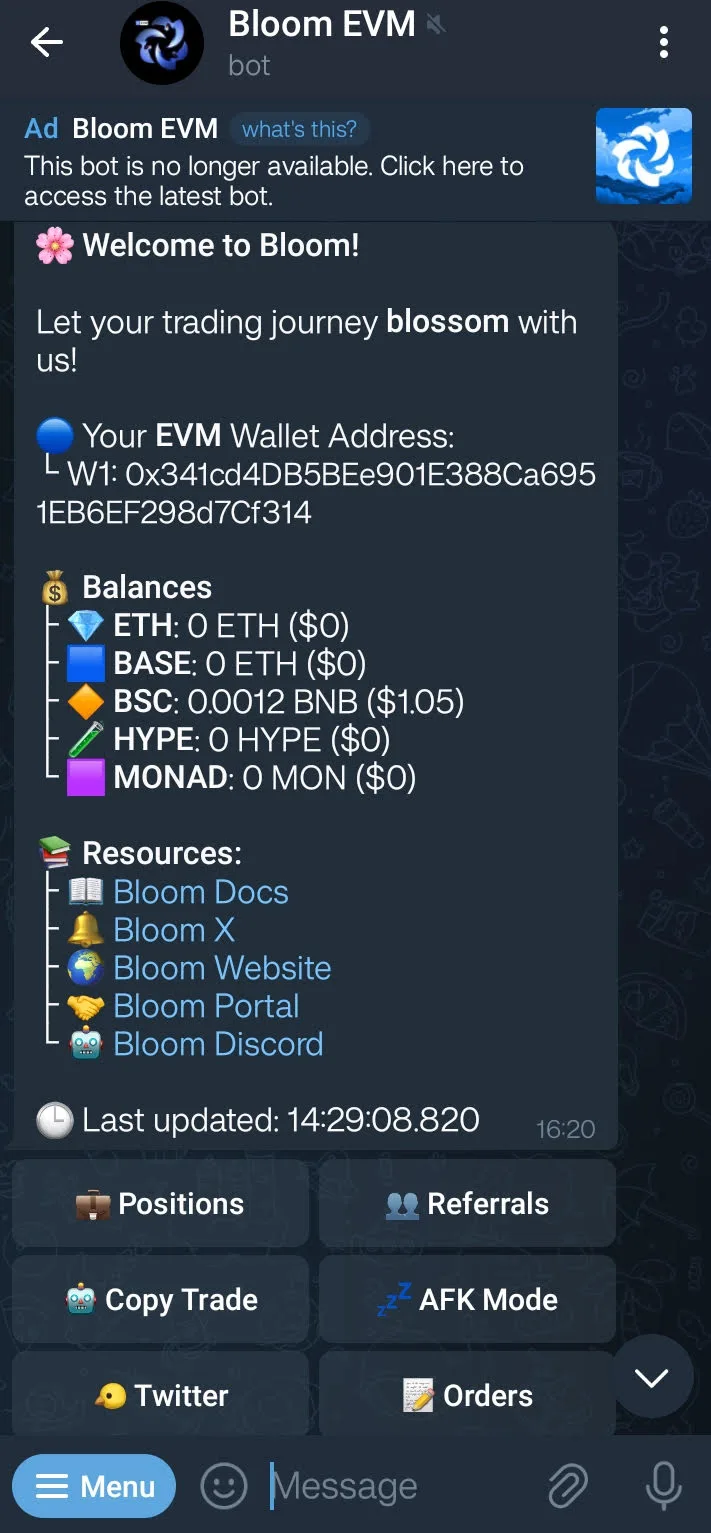 Wallet summary and core actions.
Chains Selector
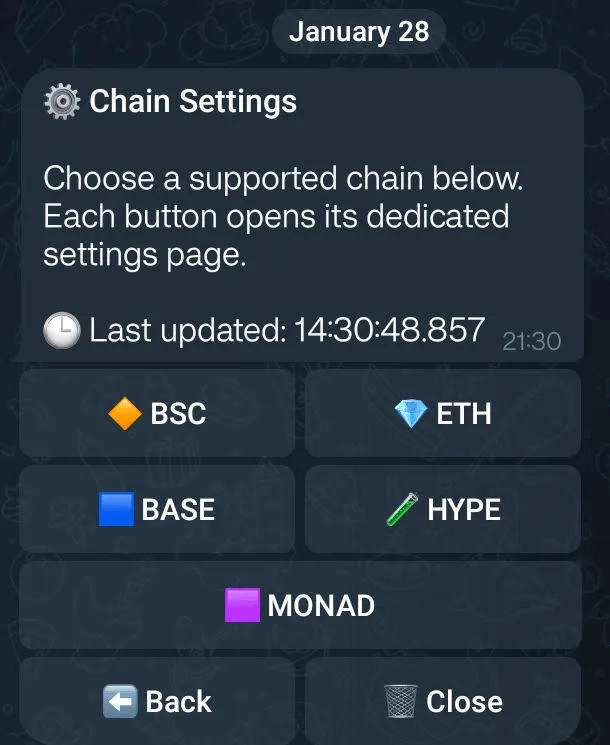 Supported chains at a glance.
Copy Trading Setup
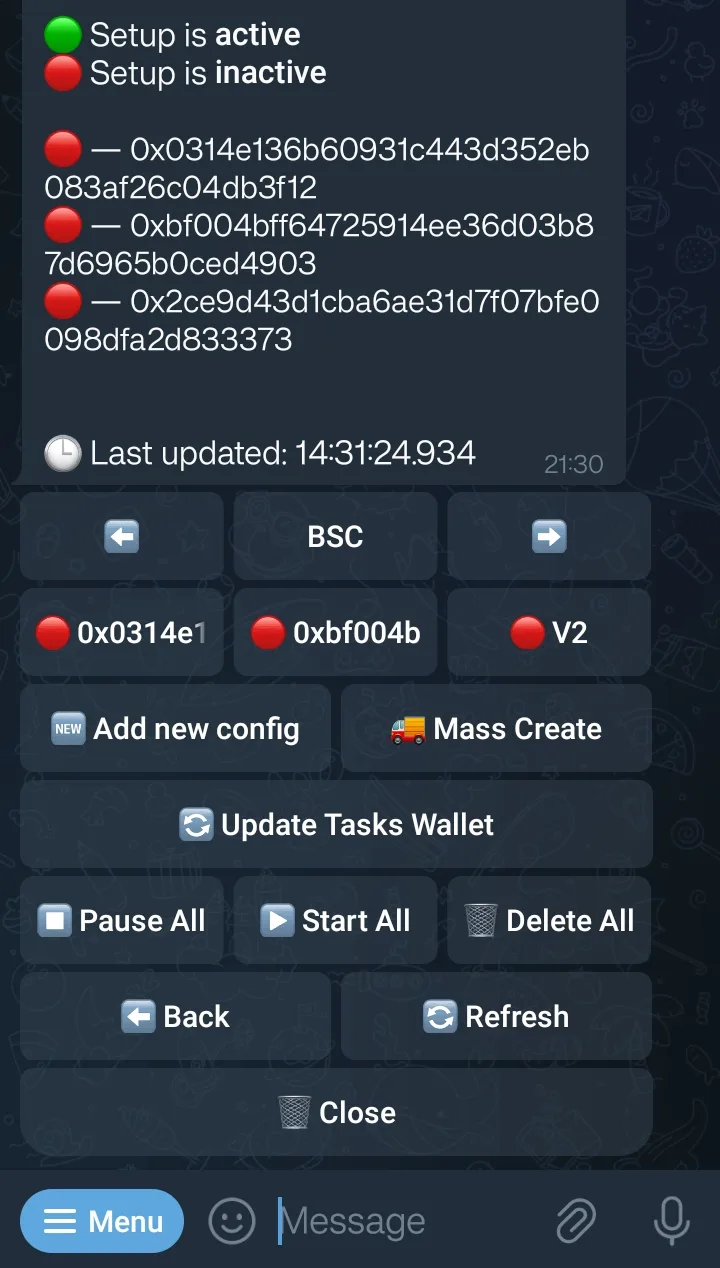 Select a wallet and choose a follow mode.
Copy Trading Controls
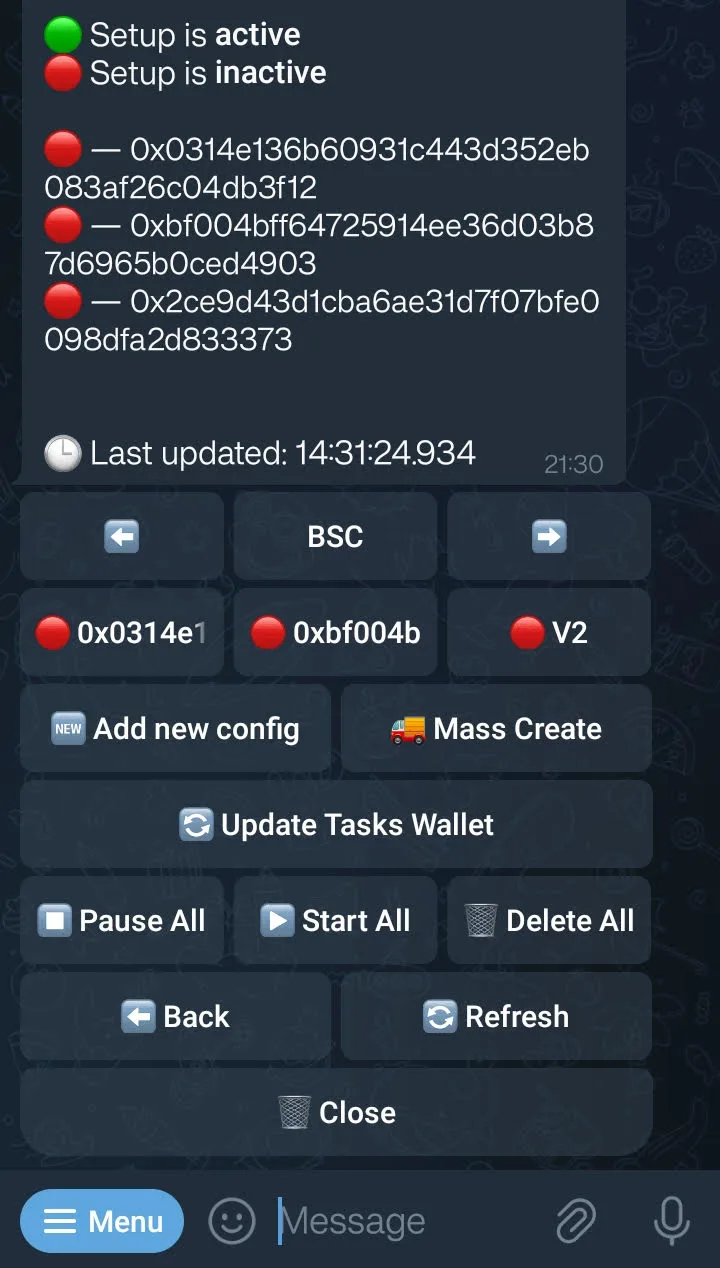 Limits, filters, and MEV toggles.
Twitter Mode
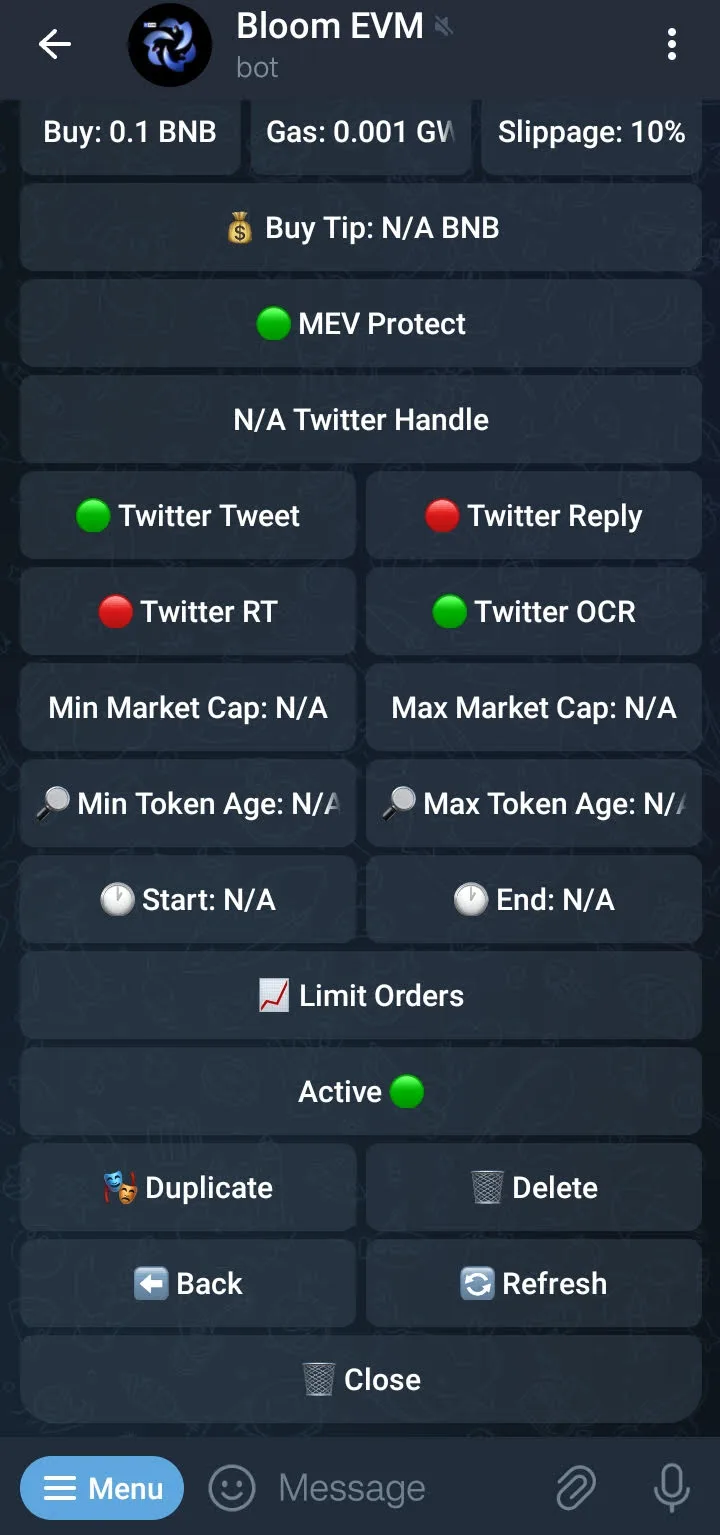 Automation tied to specific Twitter accounts.
Daily PnL
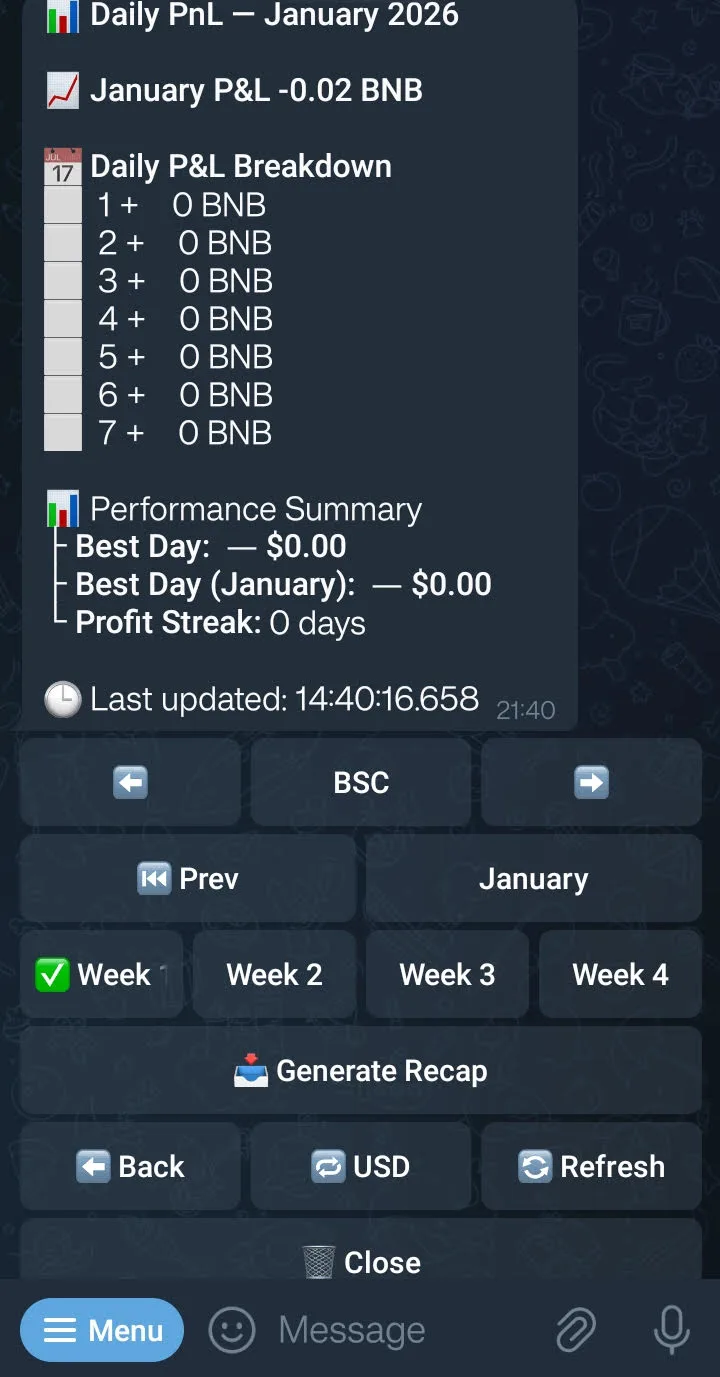 Daily summary view (example UI only).
Referral Signup
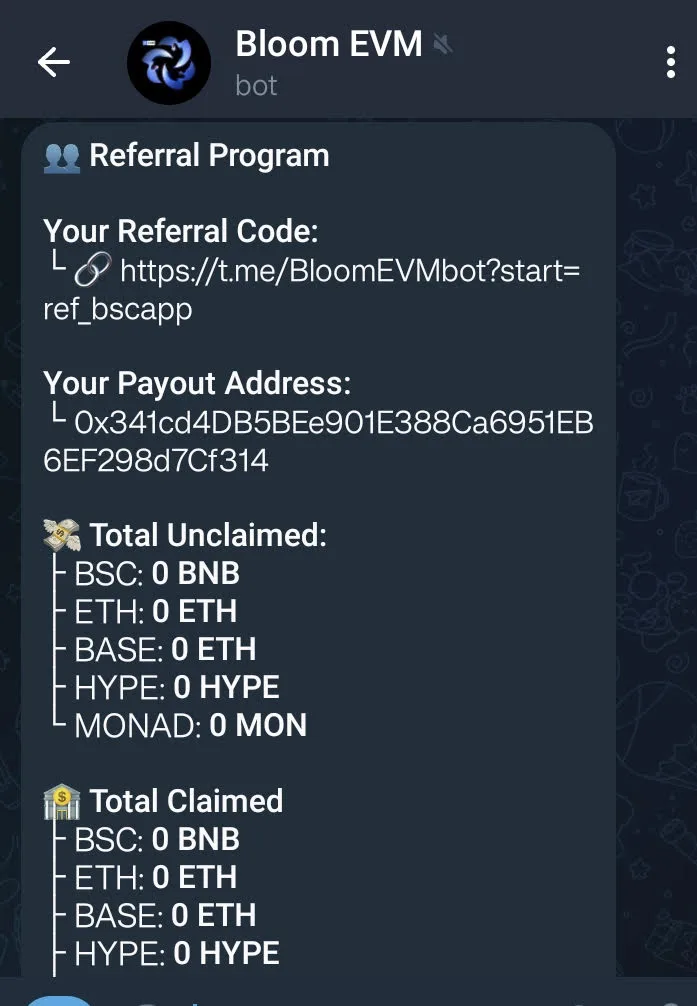 Apply a referral code ‘bscapp’ for fee discount.
FAQ (UI)
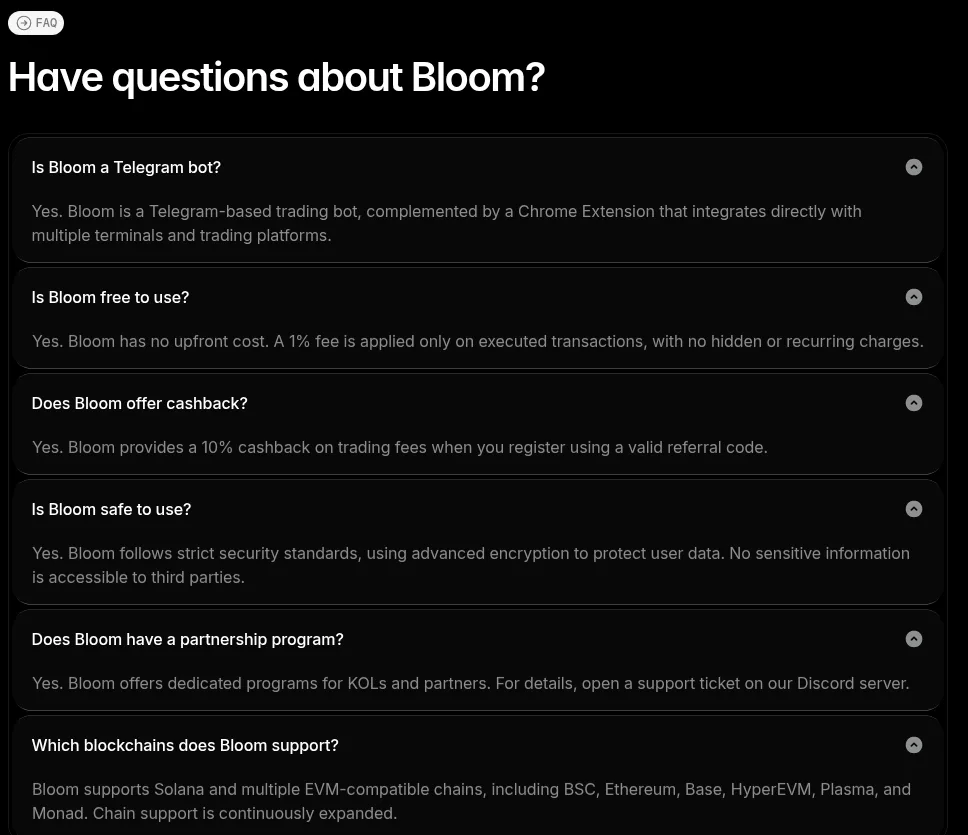 In-bot FAQ.
Fees and Affiliate Program (Verified)
| Item | Terms (Verified) |
|---|---|
| Trading fee | 1% per trade (0.9% via referral) |
| Subscription | None disclosed |
| Affiliate | 25% level 1, 3% level 2, 2% level 3 |
| Cashback | 10% referral cashback (self-referral benefit) |
Affiliate payouts depend on referred trading volume. Bloom does not publish average earnings.
💡 Save 10% on fees: Use referral code bscapp when starting Bloom Bot to reduce your trading fee from 1% to 0.9%. Start with this link (affiliate link).
Security and Trust Notes
- Custody is not clearly disclosed. Bloom stores encrypted private keys on its backend and must decrypt to sign transactions. HashDit reported BloomEVM storing key data despite claims otherwise (not independently verified).
- No public third-party audit is disclosed for the current bot.
- Impersonation risk is high. Fake bots and spoofed ads exist. Use official chats only.
- Phishing domains: bloombot dot xyz domain are reported as phishing. Bookmark the real sites you use.
- Twitter Mode risk: a compromised influencer account can trigger buys or game the system.
- Bridge risk: bridging reportedly uses Houdini Swap, adding external smart-contract risk. Added privacy benefits are advertised.
- Extension risk: fake extensions exist. Verify only via the official site. Solana extension remains untested.
- Hygiene: use a dedicated wallet and browser profile, keep balances small, system up to date, and avoid unneccessary browser extensions. More safety and security guides see /guides/honeypot-detection/, /alpha/shield/, and /blog/staying-safe-on-telegram/.
How It Compares
Bloom wins on chain coverage and affiliate payouts. Choose by priority:
- For sniping focus: Blazing Bot - optimized for fast entries with Dedaub audit (1% fee, no subscription)
- For advanced features: Maestro Bot - deeper customization ($49/month + 0.5% fee)
- For web-based trading: BullX - browser terminal with charts and alerts (0.9% fee, no subscription)
- For synced Telegram + WebApp: Blazing Bot - dual-interface suite with advanced order controls
- For copy trading rewards: Shuriken - token incentives for active users (1% fee, no subscription)
For a broader decision framework, see /guides/choosing-right-trading-bot/.
Get Started
- Use the referral code: bscapp for a 0.9% trading fee. Start here
- Verify official domains: bookmark bloombot.app and confirm the Telegram handles
- Create a dedicated wallet: never use your main holding wallet
- Test small: fund $10–20 and make 1–2 trades
- Lock safety settings: enable MEV Protect, set max buy, keep slippage tight
- Track PNL Regularly: Utilize the calendar and stick to proper bankroll management
New to BSC? Start with /guides/getting-started-bsc-trading/.
⚠️ Before you trade: Avoid unsolicited messages/DMs. Seed phrase is your money, keep it safe and private. All DMs are scams.
Who This Is For
- Traders rotating across multiple EVM chains
- Privacy-minded bridge for entering the BNB Smart Chain
- Telegram-first execution workflows
- Traders interested in Twitter Mode automation should definiltey check out Bloom Bot!
- Affiliates who value recurring revenue share with mutually beneficial terms to registrants
FAQ
Is Bloom Bot non-custodial? Not clearly disclosed. Bloom stores encrypted keys on its backend and must decrypt to sign. Use a burner wallet.
Does Bloom support BNB Smart Chain? Yes. BSC is supported on the EVM bot; supported pools are listed in the docs.
Is there a Bloom token? No token is disclosed in public materials as of January 18, 2026.
What MEV protection does Bloom use? BloXroute when MEV Protect is enabled. Off means routing through a custom node. Recommended to enable.
What is Twitter Mode? Automation that trades tokens based on selected Twitter accounts and signals. OCR and advanced settings available but remain untested by bsc.app as of Jan 29, 2026.
What copy trading features are available? Wallet mirroring with max buy limits, sell-following, blacklists, and first-interaction filters. See official docs for full settings. Don’t forget to enable a default copy trading wallet (red circle to green); and disable them when finished or notifications can get very noisy.
How do I get the 0.9% trading fee? Use referral code bscapp when starting Bloom Bot. Start here.
How to Verify Claims
- Supported chains: https://docs.bloombot.app/
- Pricing and fees: https://docs.bloombot.app/grow-with-bloom/fees-structure
- Affiliate program: https://docs.bloombot.app/grow-with-bloom/referrals
- BSC pools: https://docs.bloombot.app/evm/miscellaneous/supported-pools
- Copy trading + MEV: https://docs.bloombot.app/evm/evm-bot/copy
- Twitter Mode: https://docs.bloombot.app/evm/evm-bot/twitter
- Extension: https://docs.bloombot.app/extension
- Official domains: bloombot.app, docs.bloombot.app, @BloomTrading
Sources (Verified)
- Website (official): https://www.bloombot.app
- Documentation (official): https://docs.bloombot.app
- Fees Structure: https://docs.bloombot.app/grow-with-bloom/fees-structure
- Referrals: https://docs.bloombot.app/grow-with-bloom/referrals
- Supported Pools: https://docs.bloombot.app/evm/miscellaneous/supported-pools
- Copy Trading (MEV Protect): https://docs.bloombot.app/evm/evm-bot/copy
- Twitter Mode: https://docs.bloombot.app/evm/evm-bot/twitter
- Extension documentation: https://docs.bloombot.app/extension
- BSC.app referral link: https://t.me/BloomEVMbot?start=ref_bscapp
Disclaimer: This content is for informational purposes only and does not constitute financial advice. Trading cryptocurrencies carries substantial risk. Never invest more than you can afford to lose. Always perform your own due diligence.
User Reviews
Reviews coming soon